What your client sees
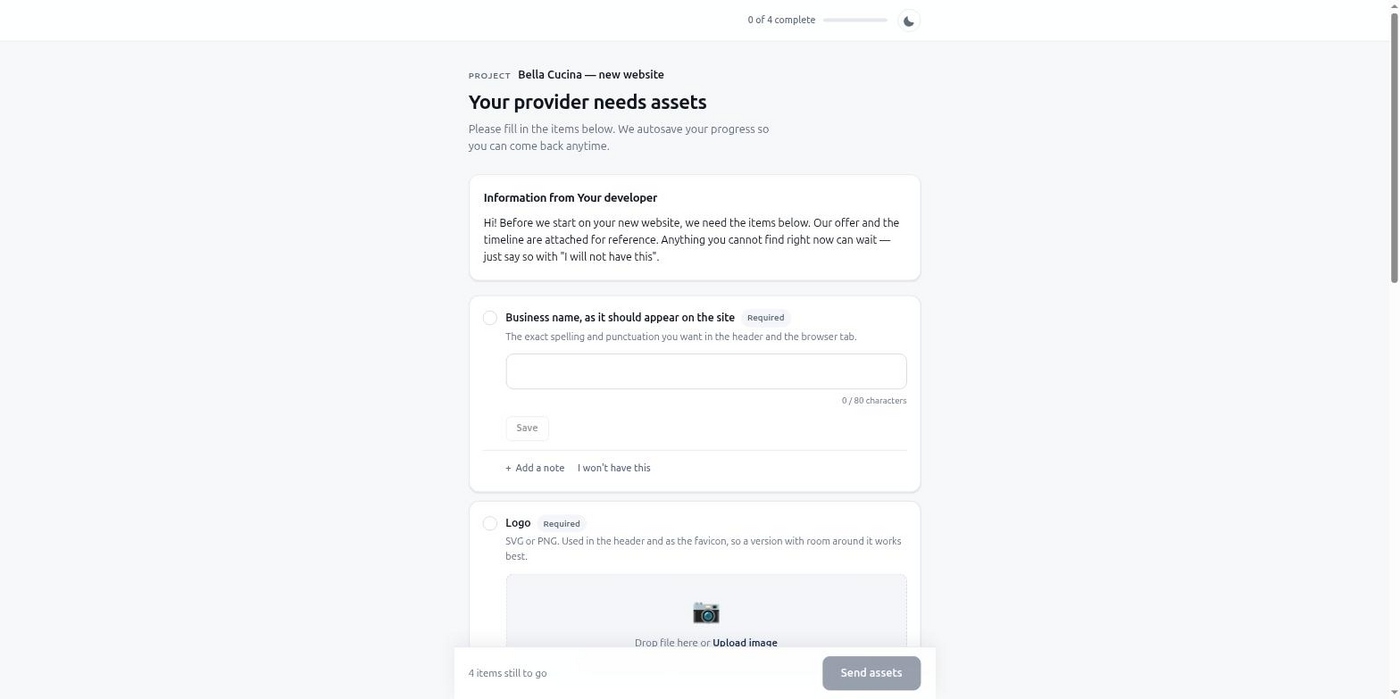
You're mid-session, the architecture is done, and the next step needs the client's logo and a couple of lines of copy. Claude Code can't invent those. So the session stalls, or you go build something else and lose the thread.
This happens on almost every client project, and it always costs the same thing: momentum. You send an email asking for assets, the client sees it three days later, replies with a photo that's 200 pixels wide, and you're back to asking again. Meanwhile the agent that was moving fast is sitting idle, or you've context-switched to a different task and have to reload everything when the assets finally show up.
The fix isn't a better email template. It's not needing to write the email at all — and not needing to remember to check for a reply either.
define_intake with the exact items blocking it — a file, some text, a credential — instead of you drafting a message by hand.get_intake_status if nothing is registered to receive one.get_intake_results returns typed, ready-to-use values — a signed file URL, a validated string — and the agent continues from exactly where it left off.Connect once — claude mcp add briefgate -- npx -y @briefgate/mcp then npx -y @briefgate/mcp login — and define_intake is available in every session after that. Here it's blocking on assets for a dental practice's new booking page, not a restaurant:
{
  "project_name": "Riverside Family Dental — Booking Page",
  "client": {
    "name": "Dr. Alvarez",
    "email": "[email protected]"
  },
  "items": [
    {
      "key": "practice_logo",
      "type": "image",
      "label": "Practice logo",
      "constraints": { "formats": ["svg", "png"], "min_width": 512 }
    },
    {
      "key": "booking_intro",
      "type": "longtext",
      "label": "A few sentences introducing the practice for the booking page"
    },
    {
      "key": "insurance_list",
      "type": "text",
      "label": "Insurance providers you accept, comma-separated",
      "required": false
    }
  ]
}
get_intake_results hands the logo back as a signed URL with its dimensions and MIME type, the intro copy as a plain string, and the insurance list as text too — or status: "skipped" if the client left it out, since it was optional. Nothing needs re-parsing before the agent can use it.
Sessions stop stalling on a missing asset. You get a clean handoff back into the agent's context instead of a scattered email thread you have to summarize by hand. The client gets one clear link on their phone instead of a request buried in an email chain, and reminders go out without you tracking who still owes what.
For the full walkthrough — CLAUDE.md snippet, handling secrets, requesting a revision on a bad upload — see the Claude Code client intake guide and the quickstart.
Start free, no card required, and connect BriefGate to your Claude Code session in under five minutes.
Free tier, no card required.