What your client sees
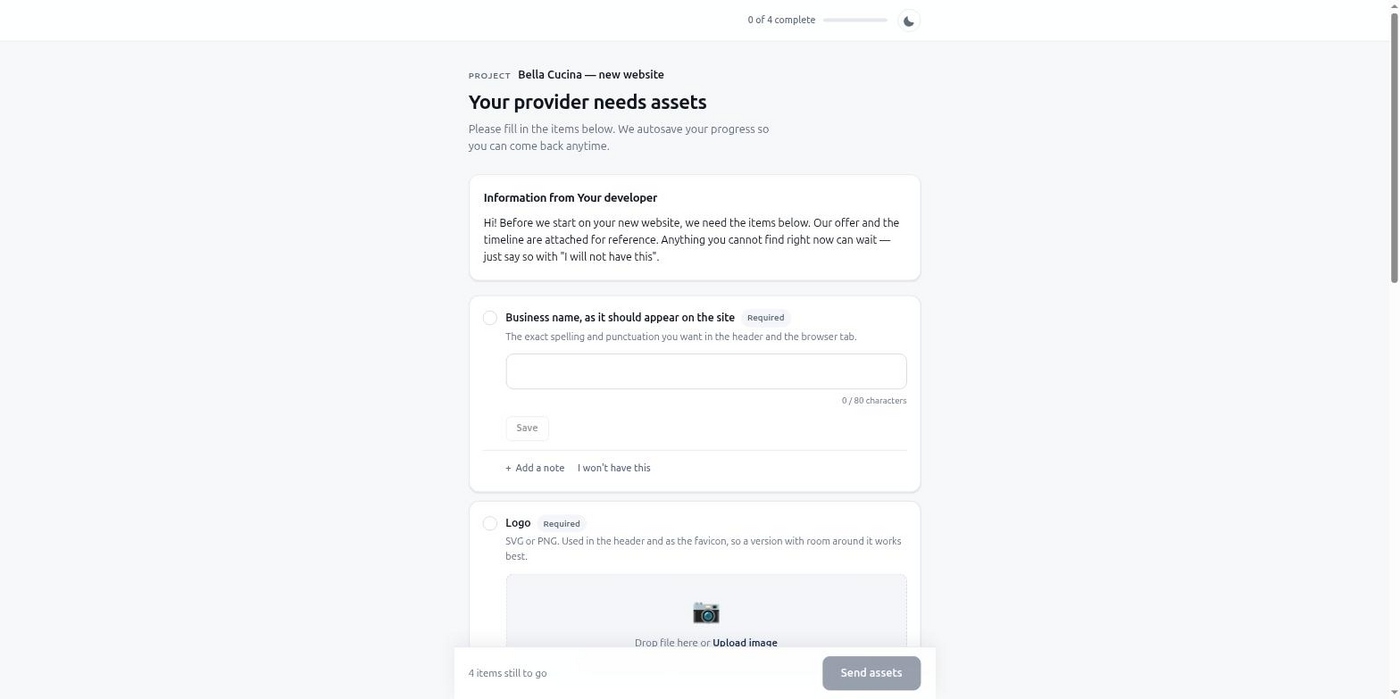
The code is done. The homepage still has a placeholder logo and a login nobody has, and there's no way to fix either one inside the editor.
Cursor's agent can scaffold, style, and wire up most of a client site in one session. Then it hits the same wall every time: the firm's logo file, the attorney bios for the About page, or the admin login for the case-management widget simply doesn't exist in the chat. Someone has to go get it from the client.
That "someone" is usually you, over email, days after the session ended:
The build was never the bottleneck. The gap between "I need this from the client" and having it, typed and usable, in the same session where you're building, is.
.cursor/mcp.json at the hosted https://mcp.briefgate.dev/mcp endpoint (sign in once via OAuth), or run it locally with npx -y @briefgate/mcp and a BRIEFGATE_API_KEY.define_intake with the exact items it needs — a logo, bios, a login — instead of asking you to email the client.get_intake_status or list_intakes finds the same intake instead of the agent guessing or emailing the client a second link.get_intake_results and gets typed data and signed file URLs back — no re-asking, no guessing which file is the final one.For a law office refresh, the agent asks for the logo, the attorney bios, a summary of practice areas, and the login for the case-management widget — the last one as a secret, not plain text:
{
  "project_name": "Ashford & Cole — Website Refresh",
  "client": {
    "email": "[email protected]",
    "name": "Maria Ashford",
    "language": "en"
  },
  "items": [
    {
      "key": "firm_logo",
      "type": "image",
      "label": "Firm logo",
      "required": true,
      "constraints": { "formats": ["svg", "png"], "min_width": 512 }
    },
    {
      "key": "attorney_bios",
      "type": "file_list",
      "label": "Attorney headshots and short bios",
      "required": true
    },
    {
      "key": "practice_areas",
      "type": "longtext",
      "label": "Practice areas summary",
      "required": true,
      "constraints": { "max_chars": 800 }
    },
    {
      "key": "case_mgmt_login",
      "type": "secret",
      "label": "Case management admin login",
      "required": true
    }
  ],
  "chase_schedule": "default"
}
get_intake_results hands the logo and bios back as signed URLs the agent can download directly, the practice-areas summary as a plain string, and the case-management login as a plaintext value revealed exactly once — sealed on BriefGate's server from the moment it arrived, never typed into the chat.
The secret item needs the Solo plan or higher; the other items in this example work on Free.
Add BriefGate to Cursor and send your next intake on the free tier — no card required.
Free tier, no card required.